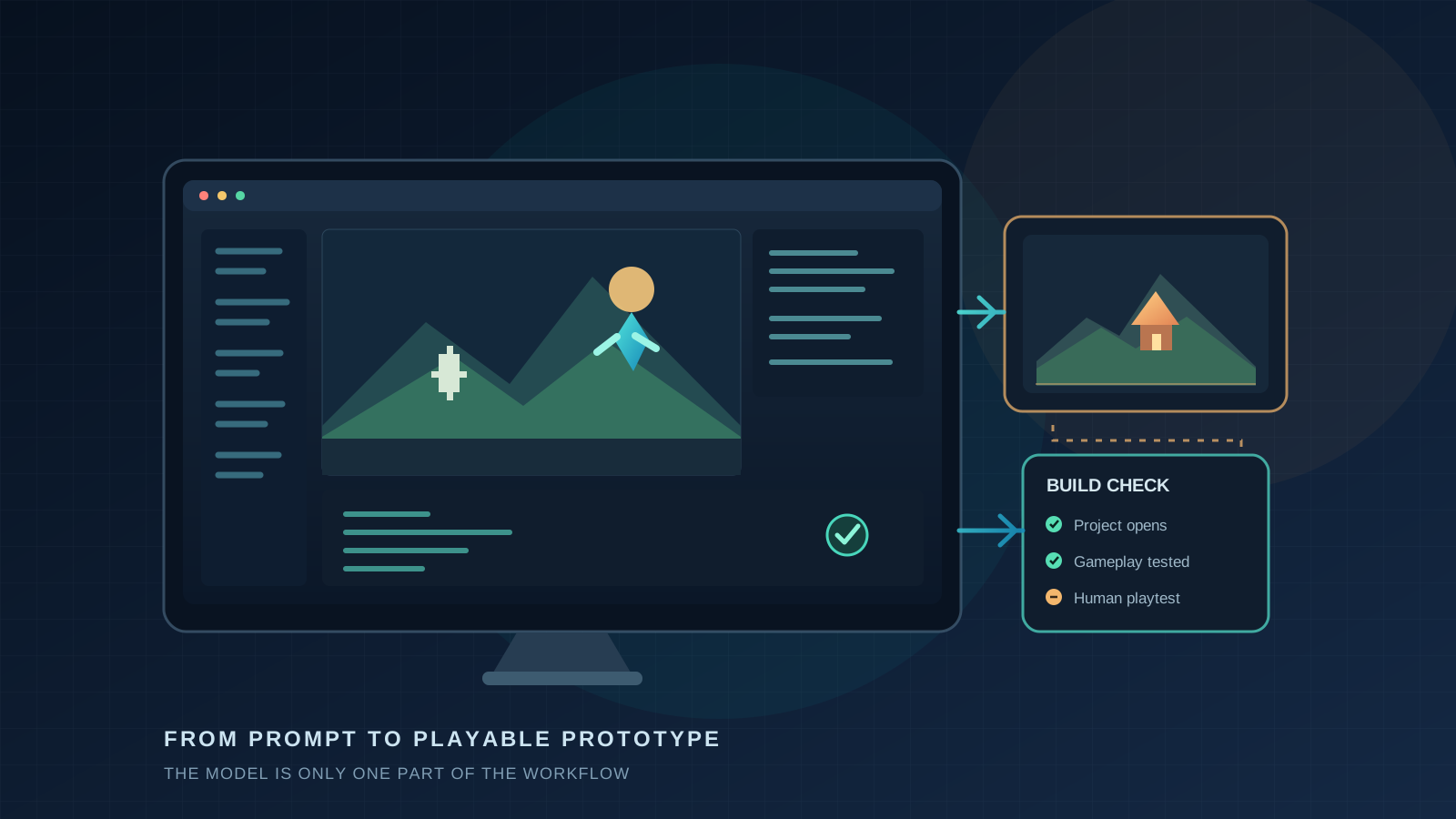
A playable 3D chess roguelite is a more persuasive AI demo than a folder of scripts. A developer recently described building one in Godot with Claude Code and Claude Opus 5.5, starting from four reference images and a short prompt. The project includes branching runs, upgrades, relics, generated 3D pieces, synthesized audio, tests, and browser and Windows builds. The author also says the game still needs human playtesting: its balance has mostly been tuned against a bot. The build and the creator’s account are public.
That is a real leap from “write me a movement script.” It is not proof that a model can independently ship a polished commercial game. Between those claims sits the most important part of modern AI game development: the toolchain that lets a model inspect a project, change it, run it, and learn from what happened.
The model matters. So do the tools it can use, the feedback it receives, and the tests that decide whether its work is actually done.
Four Different Jobs Hide Inside “Make a Game”
A game project is not just source code. It is a collection of scenes, nodes or objects, assets, materials, animation, input, physics, interface, build settings, and decisions about what makes the experience fun. A useful agent must cross those boundaries rather than generate a plausible script and stop.
That is why recent demos can look astonishing. OpenAI’s GPT-6 Astra launch material includes a game-development computer-use demonstration. Community creators have shown Astra working with Godot and Blender, while Unity has published examples and an official Codex plugin. Around the same time, Opus 5.5 users have shared a playable Godot game and a Blender modeling experiment. These are different kinds of evidence: a vendor showcase, individual projects, and early hands-on reports. They should not be treated as equivalent tests.
In a tool-using workflow, the model plans and chooses actions. A separate agent application carries those actions out through a command line, an editor plugin, a computer-use interface, or an MCP server. The game engine and Blender provide the actual project state. Screenshots, logs, test results, and human feedback tell the model what happened. A strong result belongs to that complete arrangement.
What the Recent Examples Actually Show
Astra: computer use and broad tool reach
OpenAI describes Astra as a model for complex work that can use software, inspect visual results, and troubleshoot what appears on screen. Its launch materials also note that the Codex operating layer was updated alongside the model. That matters: improvements in the demo may come from both better decisions and a faster or more capable agent around the model. OpenAI’s release page shows the game-development demo and explains the computer-use direction.
Community work gives a more practical view. One creator says a post-apocalyptic Godot scene was made with Astra in Codex, Blender MCP, and repeated development over roughly 10–12 hours. Another video follows a 24-hour Godot project from concept through Blender assets, animation, a gameplay loop, fixes, and release preparation. Those are useful workflow stories, but they include human direction, corrections, and additional tools. A scene or prototype created in a day is not the same deliverable as a tested, balanced, maintained game.
Opus 5.5: sustained implementation and creative output
The Godot chess roguelite is notable because its author points to a playable build and describes a loop that extends across gameplay systems, 3D assets, sound, tests, and packaging. The honest caveat is in the creator’s own post: more bosses and events are planned, and real players still need to test balance. A playable prototype is valuable precisely because it gives people something concrete to judge.
A separate Blender post shows an Opus 5.5 user asking for a handgun model while running custom modeling skills. The author calls it an early test and shares the skills used. That is evidence of a promising workflow, not a controlled comparison with Astra; the custom instructions and the ongoing iteration are part of the result.
What a Short Demo Can’t Settle
Unless the full project, prompts, tool calls, time, asset sources, and edits are available, a polished clip cannot show how much failed, how much was manually repaired, or whether the project will reopen cleanly. Use demos as case studies, not as proof of autonomous end-to-end production.
The Editor Connection Is Part of the Breakthrough
The engines are becoming more reachable by agents, but each has a different route in. Godot’s asset library now lists community MCP integrations that can expose editor operations to compatible agents. Their features vary, so a project should be checked for version support, permissions, and the ability to capture runtime feedback.
Unity has moved quickly. Its CLI can manage projects and editors; an experimental Pipeline package can connect to a running Editor or development Player, execute project commands, and return results. Unity also released an official Codex plugin with engine-specific guidance and command-line skills. Unity says that plugin is a skills package, not an MCP connection into the live Editor. Those are related pieces of a workflow, but they are not interchangeable. Unity’s CLI overview and official Codex plugin announcement explain the differences.
Epic’s Unreal Engine 5.8 documentation describes an experimental Unreal MCP server that lets compatible agents operate parts of the Editor, including actors, lighting, materials, and automation tests. Epic warns that features are incomplete and may change; it also notes that the local server has no authentication by default. That makes it a meaningful preview of direct editor operation, not a guarantee of mature production automation. Read Epic’s Unreal MCP setup and limitations.
For Blender, community projects such as Blender MCP connect an AI client to Blender through an add-on and server. The model does not arrive with Blender controls built in: the integration supplies the controls, and custom skills can teach a workflow. That distinction is easy to miss when a demo is described as “the model made a 3D asset.”
Benchmarks Give a Necessary Reality Check
There is now a more rigorous way to ask whether agents can handle game-development work. GameDevBench, published at ICML 2026, contains 333 tasks in Godot covering 2D graphics, 3D graphics, user interfaces, and gameplay. Its current project page reports 68.8% for GPT-6 Astra with Codex at high reasoning effort. The page also reports 67.3% for Claude Fable 5 with Claude Code at xhigh effort. Those results are close, include confidence intervals of roughly five points, and reflect each model’s best published setup—not a model-only duel.
Crucially, the Claude row is Fable 5, not Opus 5.5. It cannot answer whether Opus 5.5 now performs better or worse on those tasks. The top reported configuration also fails about three in ten tasks. The benchmark researchers note that visual feedback helps and that tasks requiring more visual understanding remain harder. The project page publishes the task breakdown and current results; its paper explains the benchmark design.
Unreal has a separate benchmark for C++ work inside real UE5 projects. GameEngineBench evaluates 110 tasks across nine game repositories, from gameplay and networking to animation and persistence. Across twelve agent configurations, the strongest result is 55.5%, with 31 tasks unsolved by every configuration. This measures scoped programming and integration tasks, not the creation of a complete Unreal game or the artistic quality of a scene. The GameEngineBench paper describes its scope and results.
Anthropic’s own release comparison reports 66.4% for Opus 5.5 and 57.9% for Astra on Terminal-Bench 4.0. That is a command-line agent benchmark, not a game-making score, and the settings differ: Opus 5.5 is reported at xhigh effort, Astra at high. It can inform a discussion of terminal work, but it should not be used to declare a winner in Blender, Godot, Unity, or Unreal. Anthropic’s page documents the figures and their settings.
How to Compare Them Fairly
A useful BestGames test would compare complete workflows while making the setup visible. Give each model the same project, task, time and call budget, engine version, reference materials, and level of permission. Record the exact model and agent versions. If Astra uses Codex and Opus 5.5 uses Claude Code, label the result as a comparison of recommended toolchains. To isolate the model more closely, also test both through the same tools wherever that is practical.
Use small, bounded tasks before attempting a full game: build a Godot room with a working jump and exit; create a Unity scene with one interaction; set up a constrained Unreal level change; or model and export one Blender prop at a specified scale. Define success before starting:
- Does the project open and build without a manual rescue?
- Do the required mechanics pass repeatable checks?
- Can a new player understand the scene and controls?
- Does the exported asset keep its scale, orientation, and usable topology?
- How many human fixes were needed, and how long did they take?
Save the prompts, logs, screenshots, build, and failed attempts. Run each task more than once. A single successful clip can inspire an experiment; it cannot establish a reliable production rate.
What This Means for Small Game Teams
These models are most compelling when they compress the distance between an idea and a testable slice. Let an agent create a rough room, connect one interaction, run it, capture what failed, and make a bounded correction. Keep a person responsible for the design goal, play feel, art direction, accessibility, performance, and final sign-off.
That is a practical next step for indie teams: not asking an AI to “make my game,” but asking it to build one small thing that can be checked. A greybox that runs and teaches you whether the jump feels right is more useful than a beautiful scene nobody can play.
For a hands-on look at the surrounding workflow, see our guides to Unity CLI and Blender MCP for indie prototyping and building a playable Godot forest-cabin prototype. The tools are moving fast. The standard worth keeping is simple: show the project, show the checks, and say exactly where a human stepped in.