
Godot web export optimization is the difference between a game that loads in 3 seconds and one players abandon after 30. Godot 4 has become the engine of choice for thousands of indie developers—it's lightweight, open-source, and features a powerful 3D renderer. But when you hit that "Export to Web" button, reality often hits hard: 100MB download sizes, stuttering frame rates, and the dreaded "SharedArrayBuffer" error.
The web is not a console. It is a hostile environment with strict memory limits and network latency. To master Godot web export optimization, you need to stop thinking like a desktop developer and start thinking like a web engineer.
This comprehensive guide compiles the best practices for 2026, focusing on Godot 4.3+, WebGPU, and the specific constraints of browser-based gaming.
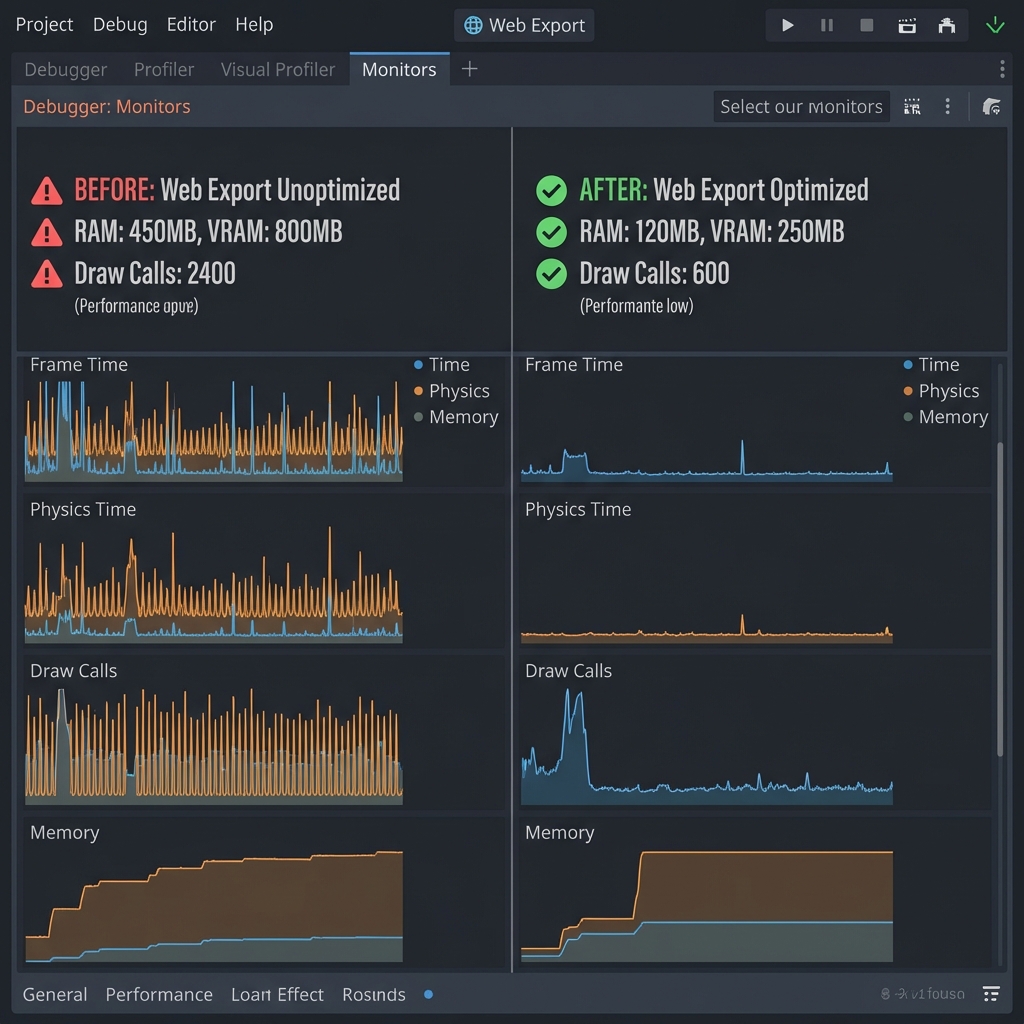
1. The "First 5 Seconds": Asset Compression Strategy
On Steam, a 5GB game is small. On the web, 50MB is huge. Your first priority is reducing the initial payload (WASM + PCK files).
Texture Compression: VRAM vs. File Size
Godot offers multiple import settings. For web, the defaults are often wrong.
- Use VRAM Compression (S3TC/ETC2): Essential for 3D games. It keeps textures compressed in GPU memory, preventing browser crashes on mobile.
- Basis Universal (The Gold Standard): In 2026, enable "Basis Universal" for all textures. It offers a tiny file size (like JPEG) but transcodes to GPU formats at runtime.
Setting: Project Settings > Rendering > Textures > VRAM Compression > Basis Universal. - Limit Texture Resolution: Do you really need 4K textures? Cap web exports to 1024x1024 or even 512x512. The screen size is likely a laptop or phone.
Audio: The Hidden Bloat
Uncompressed WAV files kill load times.
- Music: Use MP3 (not OGG) for background music. It decodes efficiently in browsers.
- SFX: Use OGG Vorbis for sound effects.
- Force Mono: For mobile web, stereo positioning is often lost. Converting to Mono cuts audio size in half.
2. Renderer Choice: Compatibility vs. Forward+
Godot 4 offers two main rendering backends. Choosing the wrong one is the #1 cause of "black screen" reports.
| Backend | Tech Stack | Use Case |
|---|---|---|
| Forward+ | Vulkan / WebGPU | High-end desktop browsers only. Supports SDFGI, Volumetric Fog. risky for mass market. |
| Compatibility | OpenGL 3 / WebGL 2 | Recommended. Runs on Chromebooks, older phones, and Safari. |
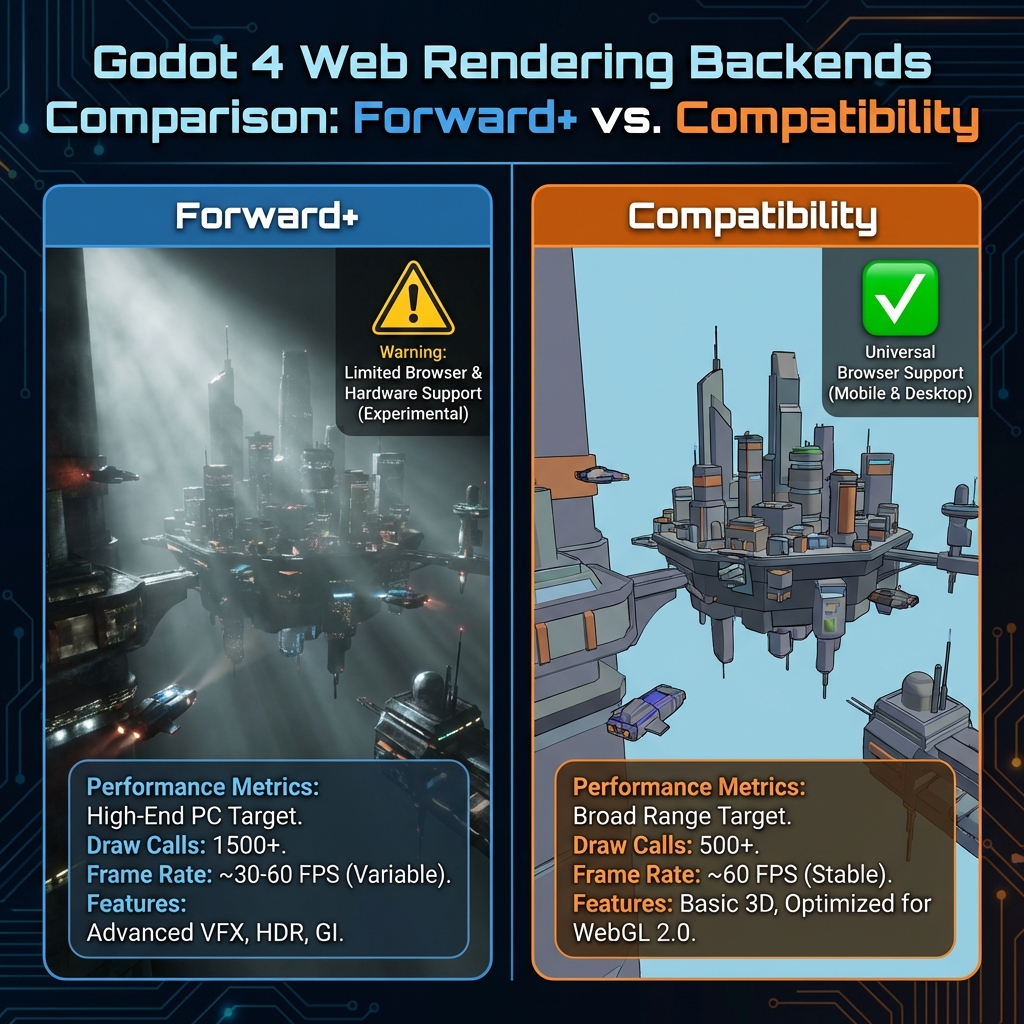
"Unless you are building a tech demo, choose the Compatibility renderer. Players would rather have 'good' graphics that work than 'amazing' graphics that crash." — Godot Community Best Practice
3. Solving the "Cross-Origin Isolation" (SharedArrayBuffer)
If you want to use multi-threading (essential for physics or complex logic), browsers require a specific security environment. Without this, your game will either crash or run in single-threaded mode (slow).
You must serve your game with these HTTP headers:
Cross-Origin-Opener-Policy: same-origin
Cross-Origin-Embedder-Policy: require-corp
The "Coi-ServiceWorker" Hack
If you upload to a host that doesn't let you set headers (like GitHub Pages or basic shared hosting), use the coi-serviceworker library. It injects these headers via a Service Worker, "tricking" the browser into enabling high-performance features.
4. Coding for the Web
JavaScript is single-threaded by default. Godot's WASM export bridges this, but you must code defensively.
Avoid Blocking the Main Thread
Never write infinite loops or heavy calculations in `_process()`. If the frame takes too long, the browser will think the tab has crashed and offer to kill it.
Use `await` for Async Loading
Don't freeze the screen while loading the next level. Use Godot's `ResourceLoader` in interactive mode.
func _load_level_async(path):
    ResourceLoader.load_threaded_request(path)
    while ResourceLoader.load_threaded_get_status(path) == ResourceLoader.THREAD_LOAD_IN_PROGRESS:
        # Update progress bar here
        await get_tree().process_frame
    var scene = ResourceLoader.load_threaded_get(path)
    get_tree().change_scene_to_packed(scene)
5. Case Study: Optimization Results
We optimized a standard 3D platformer prototype for BestGames.io. Here are the results:
- Initial Build: 120MB download, Forward+ renderer.
Result: Failed to load on iPhone 15. 20 FPS on Macbook Air. - Optimized Build: 35MB download, Compatibility renderer, Basis Universal textures.
Result: 60 FPS on iPhone 15. 58 FPS on Macbook Air. Load time reduced by 70%.
Conclusion: Godot Web Export Optimization Checklist
The web is the ultimate stress test for optimization. If your game runs smoothly in a browser, it will fly on desktop. Here's your final checklist for Godot web export optimization:
🚀 Pre-Export Checklist
- ☐ Enable Basis Universal texture compression
- ☐ Convert audio to MP3/OGG, consider Mono
- ☐ Select Compatibility renderer (unless WebGPU-only)
- ☐ Configure COOP/COEP headers or use coi-serviceworker
- ☐ Test on iPhone Safari (strictest browser)
- ☐ Target <50MB initial download, <150MB runtime memory
- ☐ Profile with Godot's debugger before export
By respecting the constraints of the platform—file size, memory, and API compatibility—you open your game to millions of players who are just one click away. Godot web export optimization is your key to reaching them.
Godot 4 is ready for the web. Are you?




Leave a Comment
Share your thoughts with the community