
GTA Simulator brings the thrill of open-world crime action directly to your browser, no download required. This free-to-play sandbox delivers what millions have craved: the ability to hijack vehicles, engage in shootouts, and explore a living city—all without installing a single file. Whether you're a casual player looking to cause some mayhem or a completionist aiming to master every mechanic, this comprehensive guide will be your road map to domination.

1. Getting Started: Your First Steps in the City
When you first load GTA Simulator, you'll find yourself dropped into a living, breathing city with no tutorial holding your hand. The freedom can be overwhelming at first, but understanding the core systems will help you hit the ground running.
Understanding the Control Scheme
Mastering controls is fundamental to enjoying any action game. GTA Simulator uses standard FPS/TPS controls:
Control Reference
| Action | Keyboard | Notes |
|---|---|---|
| Movement | WASD | Standard directional movement |
| Sprint | Shift | Drains stamina when running |
| Jump | Space | Also climb low obstacles |
| Enter/Exit Vehicle | E | Approach any vehicle |
| Aim | Right Mouse | Precision aiming mode |
| Shoot | Left Mouse | Fire equipped weapon |
| Switch Weapon | Mouse Wheel / 1-9 | Cycle through inventory |
The City Layout
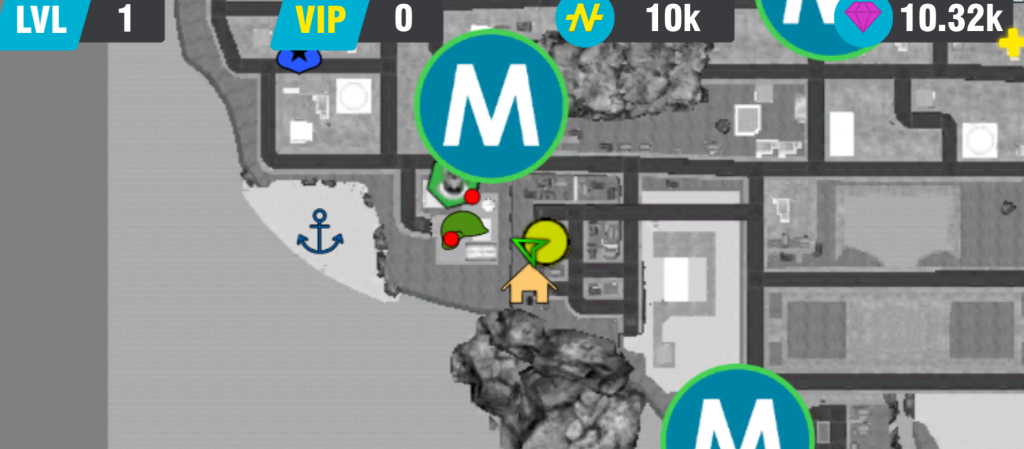
The game world is divided into several distinct districts, each with its own character and opportunities:
- Downtown: High-rise buildings, heavy police presence, wealthy NPCs
- Industrial Zone: Warehouses, less police activity, vehicle spawns
- Residential Areas: Suburban streets, moderate activity, good for laying low
- Beach/Waterfront: Scenic areas, recreational activities, boat access
- Highway: High-speed vehicle runs, police chases, stunt opportunities
The Wanted System
Like its console inspiration, GTA Simulator features a wanted level system. Committing crimes escalates your wanted level from 1 to 5 stars:
- 1 Star: Minor offense. A few patrol officers will investigate.
- 2 Stars: Active pursuit. Police cars join the chase.
- 3 Stars: Major response. Helicopters may appear, roadblocks set up.
- 4 Stars: Heavy response. SWAT units deployed, aggressive tactics.
- 5 Stars: Maximum alert. Full military-grade response, extremely difficult to escape.
Survival Tip
High wanted levels in browser games perform differently than console versions. Frame rate and response time matter—if your system struggles, lower graphics settings before engaging in major police chases.
2. Mastering Combat: From Street Brawls to Shootouts
Combat is central to the GTA experience. Whether you're defending yourself or causing chaos, understanding the combat system gives you the edge.
Melee Combat
When no weapons are available or when you want a quiet approach:
- Basic Punches: Click to throw punches. Fast but low damage.
- Heavy Attacks: Hold then release for stronger hits.
- Blocking: Right-click without a weapon to block incoming attacks.
- Counter Timing: Block just before an enemy attack lands for a counter opportunity.
Melee is best used against lone NPCs and in situations where gunfire would attract too much attention.
Firearm Combat
Guns are the primary weapons in GTA Simulator. Understanding weapon categories helps you choose the right tool:
Pistols
- Pros: Quick to draw, accurate, good for headshots
- Cons: Low damage, limited magazine size
- Best Use: Precision shots, conserving ammo, stealth approaches
Shotguns
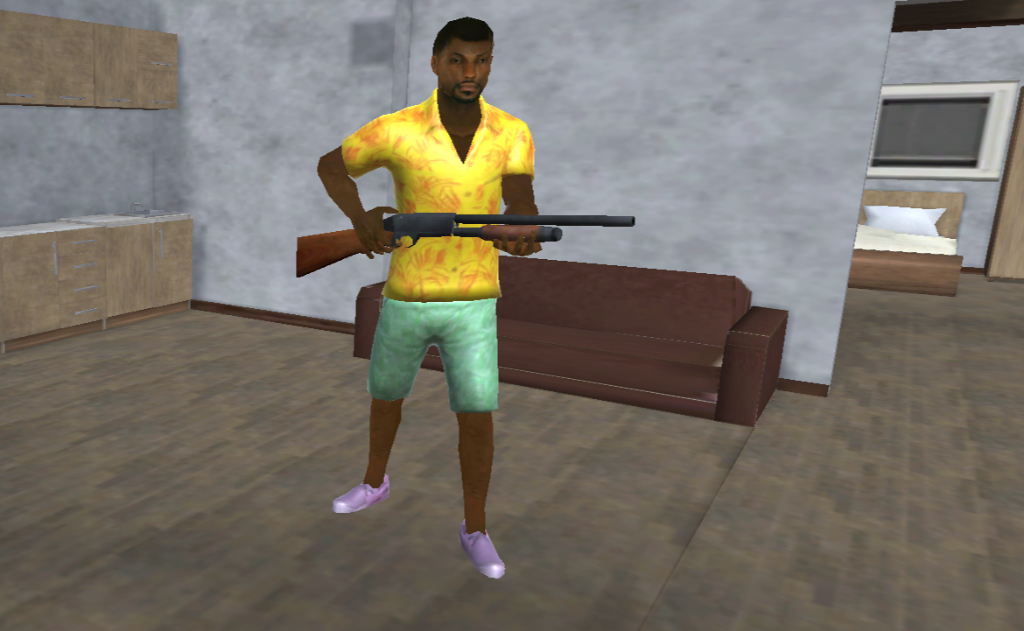
- Pros: Devastating at close range, one-shot potential
- Cons: Slow rate of fire, useless at distance
- Best Use: Indoor combat, vehicle defense, crowd control
Assault Rifles
- Pros: Versatile, good damage, reasonable accuracy
- Cons: Ammo consumption, attracts attention
- Best Use: Extended firefights, vehicle chases, general combat
Sniper Rifles
- Pros: Extreme damage, long range, headshot capability
- Cons: Slow rate of fire, useless at close range
- Best Use: Rooftop positions, eliminating threats before they see you
Heavy Weapons (RPG, etc.)
- Pros: Vehicle destruction, area damage
- Cons: Expensive, limited ammo, self-damage risk
- Best Use: Vehicle pursuits, escaping police, causing chaos
Combat Tactics
Winning fights isn't just about better weapons—it's about smarter play:
- Use Cover: Always fight from behind obstacles when possible. Pop out, shoot, return to cover.
- Aim for Headshots: Headshots deal massive damage. Practice precision aiming.
- Manage Ammo: Reload during calm moments, not in the middle of firefights.
- Flank Enemies: If enemies are focused on your last position, reposition for a better angle.
- Know When to Run: Sometimes escape is smarter than fighting. Vehicles are your best escape tool.
3. Vehicle Mastery: From Sedans to Sports Cars
Vehicles are essential for traversing the city, escaping danger, and experiencing high-speed thrills.
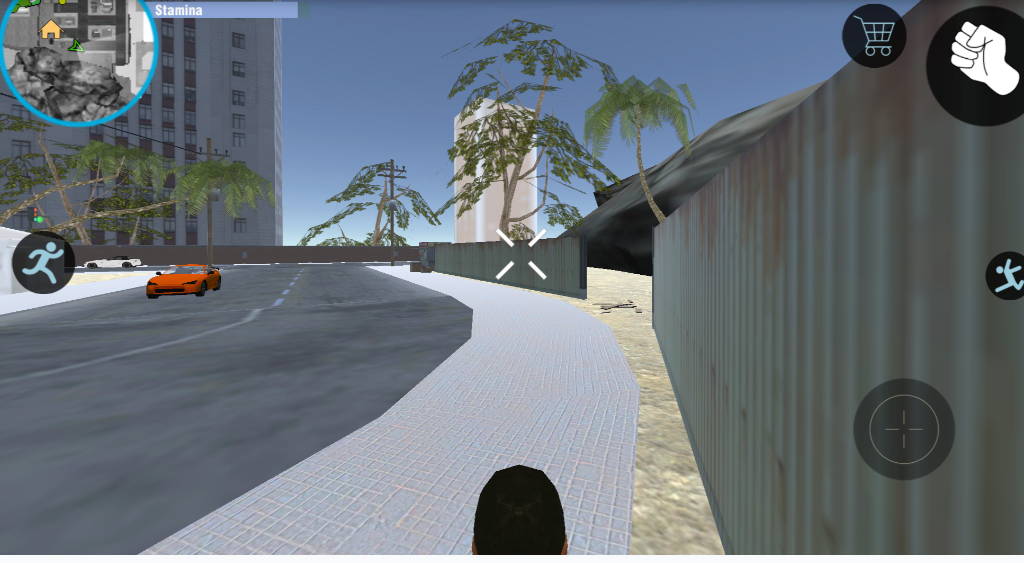
Vehicle Types and Their Uses
Sedans and Compacts
Common civilian vehicles. Average stats across the board. Easy to acquire, disposable, good for blending in.
Sports Cars
High speed, quick acceleration, excellent handling. Found in wealthy areas or parked at high-end locations. Perfect for outrunning pursuit.
SUVs and Trucks
Durable, high ramming power, stable at speed. Excellent for aggressive driving and pushing through obstacles.
Motorcycles
Fast, maneuverable, can weave through traffic. Vulnerable to crashes and gunfire. Ideal for narrow escapes and stunt runs.
Boats (if available)
Water escape routes. Police have limited water pursuit capability. Use waterways to shake wanted levels.
Driving Techniques
Advanced Driving
Use the handbrake (usually Space while driving) for sharp turns at high speed. Tap rather than hold for controlled slides that maintain momentum.
Highway Runs: Weave between traffic lanes at high speed. Lane changes are key to maintaining speed while avoiding collisions.
Pursuit Evasion: Use alleys and tight spaces that police cars struggle to navigate. Break line of sight, then change vehicles if possible.
Stunt Driving: Ramps and elevated surfaces launch vehicles for aerial stunts. Landing straight is critical to avoid crashing.
The Drive-By
Some versions allow shooting while driving:
- Aim to the side of your vehicle
- Slow down for accuracy, speed up to escape
- Motorcycles sometimes allow forward weapon use
- Ramming can be more effective than shooting in many situations
4. Making Money: The Criminal Economy
Cash is king in GTA Simulator. Money unlocks weapons, vehicles, and other advantages.
Income Methods
Robbery
- Attack civilians and take their money
- Quick cash but raises wanted level
- Best in isolated areas with few witnesses
Store Holdups
- Enter stores and threaten cashiers
- Larger payouts than street robbery
- Triggers immediate police response
Vehicle Theft and Delivery
- Some game modes feature delivery missions
- Steal specific vehicles and deliver them
- Keep damage minimal for maximum payout
Mission Completion
- Follow mission markers for structured income
- Usually the safest way to earn
- Bonus payouts for speed or stealth
Money Management
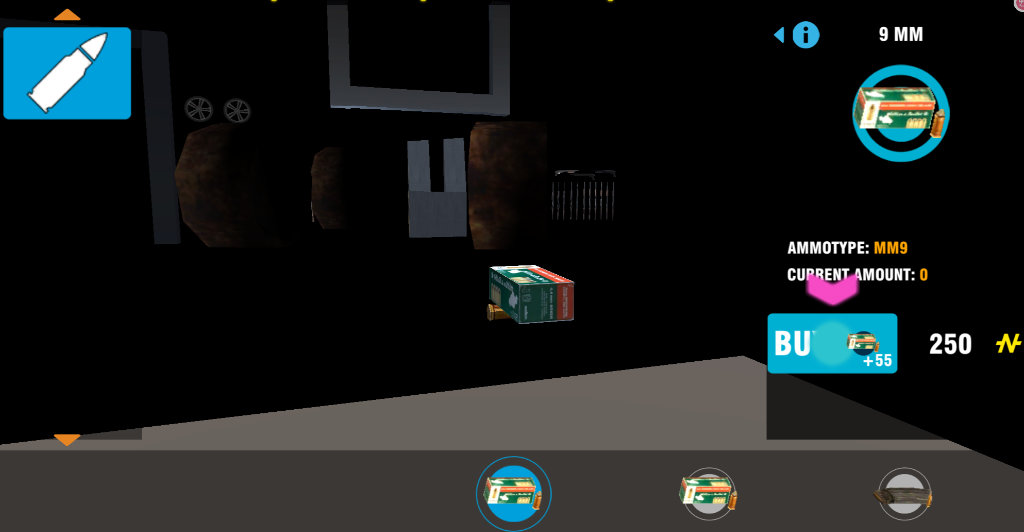
- Invest in weapons before cosmetics
- Armor-piercing ammo for tough situations
- Don't spend all cash—keep reserves for emergencies
5. Wanted Level Management: Evading the Law
Every criminal needs to know how to shake the heat. Here's your guide to wanted level management:
Generating Wanted Levels
Almost any crime in front of witnesses triggers a response:
- Attacking civilians or police
- Stealing vehicles in plain sight
- Destroying property
- Running over pedestrians
- Firing weapons in public
Escape Strategies
1-2 Star Escape:
- Simply drive away at high speed
- Break line of sight for 30-60 seconds
- Switch vehicles if convenient
- Use alleys and back roads
3-4 Star Escape:
- Requires significant distance from pursuit
- Use highway routes for speed advantage
- Enter buildings or tunnels to break helicopter tracking
- Vehicle switching becomes critical
- Consider using pay-n-sprays or garages if available
5 Star Escape (Extremely Difficult):
- Best strategy is often to die and respawn
- If committed to escaping: use water routes, remote locations
- Heavy weapons can neutralize pursuit temporarily
- Expect to take significant damage
Laying Low
After escaping, reduce visibility:
- Stay in a single location without committing crimes
- Wanted level decays over time when not engaged
- Stay inside buildings when possible
- Avoid honking, speeding, or drawing attention
6. Exploration and Secrets
The open world rewards exploration with hidden content:
Collectibles and Easter Eggs
Most GTA-style games hide items throughout the map:
- Health pickups in hidden locations
- Weapon spawns in unusual places
- Jump ramps for stunt challenges
- Reference locations from the inspiration game
Stunt Locations
- Rooftop access points for unique jumps
- Construction sites with ramps
- Bridge supports for dangerous stunts
- Mountain roads for downhill runs
Interesting Locations
- Police Station: Dangerous but weapons sometimes spawn here
- Hospital: Health restoration location
- Weapon Shops: Purchase ammunition and gear
- Garage: Store favorite vehicles (if supported)
NPC Interactions
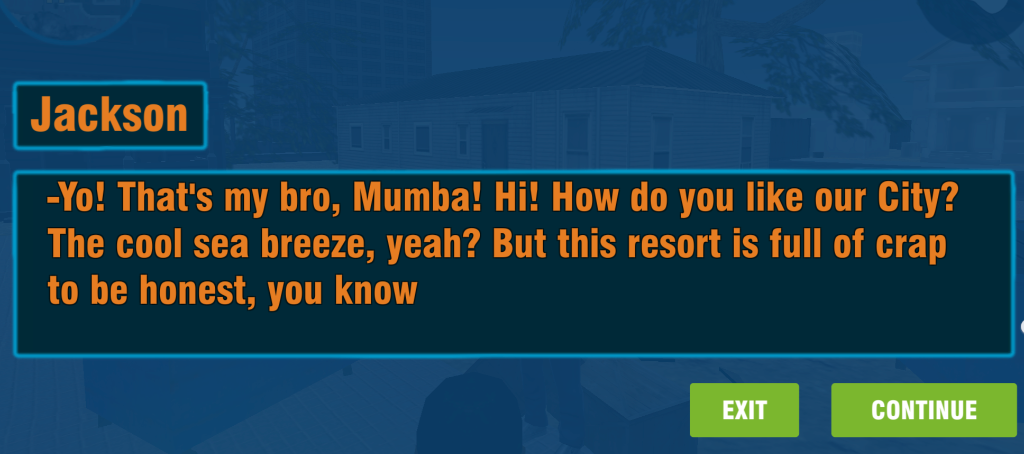
The city is populated with various NPCs you can interact with:
- Pedestrians: Most ignore you unless provoked. Some react interestingly to vehicles or gunfire.
- Vendors: Shopkeepers may defend themselves if threatened
- Gang Members: Hostile in certain territories; engaging them starts localized conflicts
- Police: Patrol the streets and respond to crimes; attacking them escalates wanted level rapidly
Random City Events
Many GTA-style games feature emergent events:
- Car chases between NPCs that you can intervene in
- Street crimes you can stop or join
- Vehicle accidents that create traffic opportunities
- Emergency services responding to incidents
7. Multiplayer Strategies (If Available)
Some versions of GTA Simulator feature multiplayer modes:
Player vs Player
- Treat other players as highly dangerous NPCs
- Don't assume friendly intent
- Cover is even more important against human opponents
- Unpredictability is your best weapon
Team Play
- Coordinate vehicle choices—avoid all choosing motorcycles
- Establish roles: driver, gunner, lookout
- Share weapon pickups based on need
8. Performance Optimization
Browser games can struggle with demanding 3D environments. Optimize your experience:
Browser Settings
- Use Chrome or Firefox for best WebGL performance
- Close unnecessary tabs to free memory
- Disable browser extensions during gameplay
- Consider hardware acceleration settings
In-Game Settings
- Lower render distance if experiencing lag
- Reduce shadow quality for performance gain
- Decrease resolution if frame rate drops during action
- Turn off optional effects like motion blur
9. Mission Types and Game Modes
Different versions of GTA Simulator offer various structured activities beyond free roam:
Story Missions
If available, story missions provide:
- Structured objectives with clear goals
- Higher payouts than random crime
- Unlockable content upon completion
- Progressive difficulty curve
Side Activities
Beyond main content:
- Time Trials: Race against the clock through checkpoints
- Stunt Challenges: Complete specific vehicle stunts for rewards
- Collection Hunts: Find hidden items scattered across the map
- Vigilante Mode: Hunt other criminals for bounties
Sandbox Mode
The purest expression of the GTA experience:
- No objectives—create your own fun
- Experiment with vehicle physics
- Test weapon combinations
- Explore every corner of the map
10. Character Progression and Unlocks
Many browser GTA games feature progression systems:
Skill Development
Through gameplay, your character may improve:
- Stamina: Run longer without tiring
- Driving: Better vehicle control and stability
- Shooting: Improved accuracy and reduced recoil
- Strength: More melee damage and health
Weapon Upgrades
Spending money on weapons unlocks:
- Extended magazines
- Improved accuracy attachments
- Higher damage ammunition
- Cosmetic customization
Vehicle Garages
If the game supports vehicle storage:
- Save favorite cars between sessions
- Collect rare vehicles found throughout the city
- Customize colors and upgrades
- Access your collection from any garage location
11. FAQ: Common Questions Answered
Q: Is GTA Simulator the same as GTA 5?
A: No. GTA Simulator is a browser-based game inspired by the Grand Theft Auto series but is not an official Rockstar Games product. It offers similar gameplay mechanics in a lightweight, free-to-play format.
Q: Can I save my progress?
A: This depends on the specific version. Some browser games use local storage to save progress, while others reset on page reload. Check for save/load options in the pause menu.
Q: Does GTA Simulator work on mobile?
A: While technically possible on some mobile browsers, performance and controls suffer significantly. Desktop browsers provide the best experience.
Q: Why is the game running slowly?
A: Browser 3D games are resource-intensive. Close other tabs, lower graphics settings, and ensure your browser is updated. Chrome with hardware acceleration enabled typically offers the best performance.
Q: Are there cheats or codes?
A: Unlike the console GTA games, browser versions rarely include cheat code systems. Focus on mastering the mechanics instead of seeking shortcuts.
12. Conclusion: Own the Streets
GTA Simulator delivers an impressive sandbox experience without requiring downloads, payments, or high-end hardware. The key to enjoying it is understanding its systems and embracing the chaos it offers. Every corner of the city hides opportunities for mayhem, profit, and discovery.
Start small: learn the controls, explore the city, experiment with combat. As you gain confidence, tackle bigger challenges—multi-star wanted levels, complex heists, and multiplayer confrontations. Every session teaches you something new about the city's possibilities and your own capabilities as a virtual criminal mastermind.
Remember that this is a sandbox. There's no "right" way to play. Whether you spend hours perfecting stunt jumps, terrorizing the virtual public, or roleplaying as a careful criminal who avoids police entirely—the city is yours to experience however you choose.
Now load up, hit the streets, and show the city who's boss.
Ready to Rule the City?
Jump into the action and start your criminal empire today.
PLAY GTA SIMULATOR NOW



Leave a Comment
Share your thoughts with the community