In 2026, a solo developer with zero programming background launched a game called Sister Living Story. Within three days, it attracted 10,000 daily active users across Steam and mobile platforms. The secret? Every visual asset—from character portraits to environment art—was created using AI image generators in a fraction of the time traditional methods would require. This isn't an outlier. It's the new normal reshaping indie game development.
The indie game development landscape has long been constrained by the "impossible triangle": you could have cost-efficiency, quality, or speed—but never all three. Hiring professional artists meant substantial upfront investment. Learning art skills yourself meant months or years of practice. For every indie developer with a vision, there were a thousand who abandoned their projects due to resource limitations.
Generative AI has shattered that constraint. Tools like Midjourney, DALL-E 3, and Stable Diffusion now enable solo developers and small teams to produce professional-grade game art assets—from concept art to character designs, environment backgrounds to UI elements—at a fraction of traditional costs and timelines. According to industry reports, some studios have reduced pre-production art cycles by 50%, while individual character asset costs have dropped from 5,000 RMB to 800 RMB—an 84% reduction.
But this democratization comes with complications. A 2026 GDC survey revealed that 52% of game industry professionals view AI negatively, citing concerns about job displacement, quality consistency, and legal ambiguity. Steam has rejected games with unclear AI asset ownership. The legal landscape remains fragmented: while China granted copyright to a user who demonstrated creative prompt engineering, the US Copyright Office denied protection to purely AI-generated works.
This guide cuts through the hype and controversy to provide indie developers with a practical roadmap for integrating AI art tools into their workflow. We'll compare the three dominant platforms, analyze real-world cost savings, navigate the legal minefield, and learn from studios already shipping AI-assisted games. Whether you're a solo developer prototyping your first project or a small studio optimizing your pipeline, this is your field guide to the AI art revolution.
The AI Art Revolution in Game Development
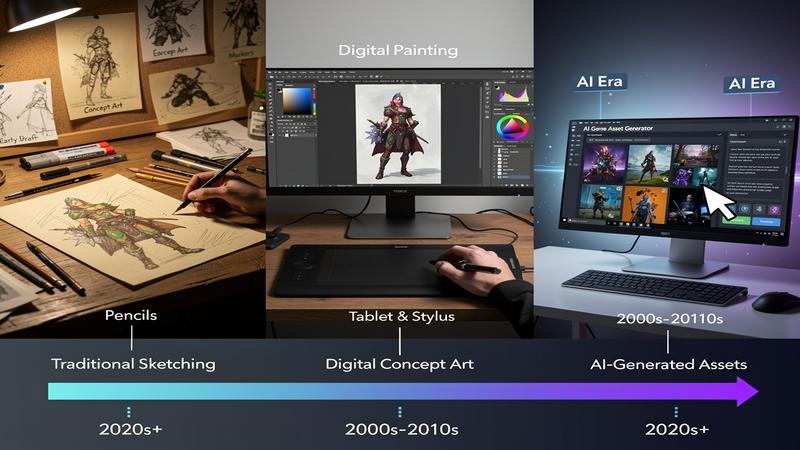
The integration of AI image generation into game development didn't happen overnight. It evolved from experimental curiosity in 2022 to production-ready workflow by 2026. Understanding this evolution reveals why AI art tools have become essential for indie developers—and where they still fall short.
From Novelty to Necessity
When AI image generators first appeared, game developers treated them as novelty toys. Early outputs from tools like DALL-E 2 were impressive for their technological achievement but impractical for actual game production. Characters had inconsistent features, environments lacked cohesive style, and the resolution was too low for game-ready assets.
Three factors converged to transform these tools from curiosities to production essentials:
First, the quality leap. By 2025, models like Stable Diffusion XL and Midjourney v6 were producing images that, in the words of Room 8 Group's comprehensive review of 34 AI generators, reached "very close to the required level of detail for professional use." The infamous "extra fingers" problem that plagued early AI art became increasingly rare. Lighting, composition, and detail levels approached concept art quality.
Second, the speed revolution. Generation time dropped from roughly one hour per image in early iterations to under 15 seconds. This speed shift changed AI art from a "generate and hope" process to a genuine iterative design tool. Developers could now explore dozens of variations in the time it previously took to commission a single concept sketch.
Third, customization arrived. Tools like Scenario AI and LoRA fine-tuning allowed developers to train models on their own art style, solving the consistency problem that made early AI art unsuitable for cohesive game worlds. A studio could now generate hundreds of assets that looked like they came from the same artistic vision.
The Indie Developer's Advantage
For indie developers, this evolution solved their most pressing constraint: resource scarcity. According to industry analysis, 70% of indie developer time was previously spent creating assets—UI elements, textures, character sprites, environment art—rather than on game design and mechanics. AI tools compressed this workload from months to weeks.
Consider the math: a single 3D character model traditionally took two weeks to create and cost approximately 5,000 RMB when outsourced. With AI-assisted workflows, that timeline shrinks to 20 minutes of generation time plus post-processing, with total costs around 800 RMB—an 84% cost reduction. For a studio needing 50 NPC models, this transforms a three-month, 250,000 RMB production cycle into a two-week, 40,000 RMB sprint.
But raw numbers don't capture the full impact. AI tools also democratized experimentation. A solo developer can now explore ten different art styles for their game in an afternoon, testing cyberpunk, fantasy, pixel art, and steampunk aesthetics before committing to production. This creative freedom was previously available only to well-funded studios with concept art budgets.
The Integration Challenge
However, the revolution isn't without friction. Early adopters discovered that AI-generated art rarely arrives "game-ready." Assets require manual post-processing for consistency. Style matching across hundreds of generated images demands careful prompt engineering. And the legal questions—can you copyright AI-generated character designs?—remain partially unanswered.
The most successful indie developers using AI art don't treat it as a replacement for artistic vision. They treat it as a collaboration partner. As one Cyberpunk 2077 veteran artist described his workflow: "Start with basic character concepts, generate keywords through AI, iterate based on results, then manually refine for the final look." The AI handles tedious iteration and exploration; humans provide creative direction and polish.
This collaborative model has proven so effective that 8% of Steam games now incorporate generative AI in some form, generating an estimated $660 million in revenue. The tools haven't replaced artists—they've augmented indie developers who previously couldn't afford artists.
Tool Showdown: Midjourney, DALL-E 3, and Stable Diffusion
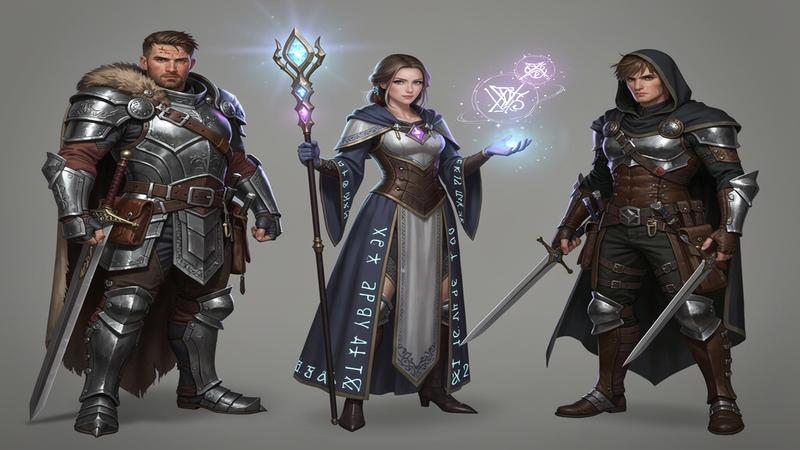
Choosing an AI art tool in 2026 resembles choosing a game engine: each option excels in different scenarios, and the "best" choice depends entirely on your project's needs, budget, and technical comfort level. After extensive testing and real-world production use, distinct profiles have emerged for the three dominant platforms.
Midjourney: The Artist's AI
Strengths: Midjourney has earned its reputation as the "artist's AI" through consistently stunning visual output. Its strength lies in artistic and illustrative styles—exactly what concept artists and character designers need. The platform excels at creating atmospheric, cinematic images that look like they belong on the cover of a game or as key promotional art.
For character design, Midjourney shines when you need stylized, visually striking characters. A prompt like "cyberpunk mercenary, neon-lit alley background, synthwave color palette, highly detailed character portrait, cinematic lighting" produces results that would take a human concept artist hours to achieve. The platform's artistic sensibility means even simple prompts yield aesthetically pleasing outputs.
The learning curve is remarkably low. Within an hour, most users can generate impressive images. This accessibility makes Midjourney ideal for developers who want to quickly explore visual directions without investing time in technical learning.
Limitations: The subscription model ($10-120/month) represents ongoing cost, though the lower tiers are affordable for most indie developers. More critically, Midjourney's cloud-based nature means your prompts and generations pass through their servers—a concern for studios working on unannounced projects under NDA. While Midjourney's privacy policy has improved, some studios prohibit its use for sensitive projects.
Control remains Midjourney's biggest limitation. You can influence output through prompts, but you can't fine-tune the model on your specific art style or guarantee perfect consistency across generations. For games requiring hundreds of assets in a unified visual style, this can become a bottleneck.
Best for: Concept art exploration, character illustrations, promotional materials, and developers prioritizing visual impact over precise control.
DALL-E 3: The Integrated Professional
Strengths: DALL-E 3's killer feature isn't its image quality—though that's excellent—but its integration with ChatGPT. If you're already a ChatGPT Plus subscriber ($20/month), DALL-E 3 is included. More importantly, you can leverage GPT-4's language understanding to refine prompts conversationally.
The semantic understanding is superior. When you describe "a fantasy RPG inventory screen showing a sword, shield, and health potion in a grid layout, pixel art style," DALL-E 3 better understands the UI/UX context than competitors. This makes it particularly strong for game interface elements, storyboarding, and product visualization.
Commercial licensing is straightforward and generous. For indie developers concerned about legal clarity, OpenAI's terms provide more explicit commercial rights than some alternatives.
Limitations: The ChatGPT dependency cuts both ways. If you're not already a ChatGPT subscriber, paying $20/month solely for DALL-E 3 makes it less cost-effective than Midjourney's lower tiers. More critically, DALL-E 3 lacks the advanced customization options that technical users desire.
You cannot run it locally, fine-tune models, or access the level of control that Stable Diffusion offers. For developers building a distinctive visual identity across an entire game, this constraint becomes significant.
Best for: ChatGPT Plus subscribers, rapid prototyping, UI/UX elements, and developers prioritizing legal clarity and workflow integration.
Stable Diffusion: The Power User's Platform
Strengths: Stable Diffusion represents the opposite philosophy: maximum control at the cost of maximum complexity. It's completely free and open-source. You can run it locally on any computer with at least 4GB VRAM, meaning zero ongoing costs beyond electricity. This makes it the only viable option for developers with limited budgets but technical skills.
The customization potential is unmatched. Using techniques like LoRA (Low-Rank Adaptation) and DreamBooth, you can fine-tune Stable Diffusion on your own artwork, creating a model that generates assets in your game's specific style. Want all your character sprites to match the hand-painted aesthetic you developed for your protagonist? Train a custom model on 20-30 reference images, and Stable Diffusion will generate hundreds of consistent variations.
Privacy is absolute when running locally. No prompts leave your machine—critical for studios working on unannounced projects. The commercial licensing is also the most permissive among major platforms.
Limitations: The learning curve is steep. Expect to spend 20-40 hours understanding prompt engineering, model selection, sampling methods, and the dozens of other parameters that affect output quality. Without this investment, your results will lag behind Midjourney's "easy mode" outputs.
Hardware requirements, while modest, aren't zero. You need a dedicated GPU, and generation speeds depend heavily on your hardware. The ecosystem's openness also means quality varies wildly—some community models produce stunning results; others generate artifacts.
Best for: Technical developers, budget-conscious projects, custom style requirements, privacy-sensitive work, and developers willing to invest time for maximum control.
The Pragmatic Recommendation
Don't limit yourself to just one tool. Successful indie developers in 2026 use a combination strategy:
- Start with Midjourney during pre-production for rapid concept exploration and style discovery. Its low learning curve lets you quickly test whether a cyberpunk or fantasy aesthetic better serves your game.
- Switch to Stable Diffusion once you've locked your art direction. Invest the time to train a custom model on your chosen style, then batch-generate the hundreds of consistent assets your game needs.
- Use DALL-E 3 for specific tasks like UI elements, promotional renders, or quick prototypes during game jams where ChatGPT integration speeds iteration.
"Don't limit yourself to just one tool. These are all instruments—be the master, not the servant of the tools."
The developers achieving the best results don't marry a single platform—they treat these as instruments in a toolkit, selecting the right tool for each phase of production.
Building Your AI Art Pipeline
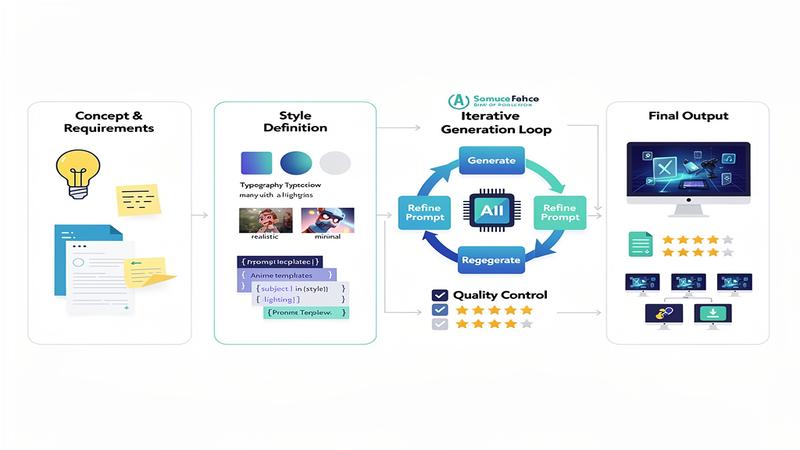
Integrating AI art generation into a production workflow requires more than picking a tool. You need a systematic pipeline that transforms AI from a novelty into a reliable production asset. Based on studios successfully shipping AI-assisted games, here's a battle-tested workflow.
Phase 1: Style Definition and Documentation
Before generating a single image, create your AI Art Bible—a document that ensures consistency across hundreds of generations. This bible should include:
Visual Style Parameters:
- Art style descriptors (e.g., "hand-painted fantasy," "pixel art cyberpunk," "low-poly 3D")
- Color palette specifications (hex codes for primary, secondary, accent colors)
- Lighting direction (e.g., "dramatic side-lighting from upper left," "soft ambient glow")
- Level of detail (e.g., "highly detailed backgrounds, simple character sprites")
Negative Prompts: Document what to avoid: "blur, low resolution, extra fingers, asymmetrical features, modern objects in fantasy setting, text overlays." These negative prompts will be appended to every generation, filtering out common AI artifacts.
Reference Images: Collect 10-20 images that represent your target aesthetic. These aren't to copy, but to train your eye and provide to AI tools that accept image inputs for style matching.
Phase 2: The Iterative Generation Loop
Professional AI art production follows a structured loop that separates ideation from refinement:
Step 1: Broad Exploration
Generate 20-50 quick variations to explore a concept. For a character design, this means testing different poses, equipment loadouts, and color schemes. Use simple prompts during this phase: "fantasy warrior, plate armor, sword and shield, heroic pose." Don't worry about perfection—you're exploring possibilities.
Step 2: Direction Lock
Select 2-3 promising directions from your exploration. Now craft detailed prompts incorporating your style parameters:
"Fantasy warrior woman, ornate silver plate armor with gold filigree, massive tower shield with lion emblem, determined expression, chestnut braided hair, heroic three-quarter pose, hand-painted fantasy style, warm color palette with red accents, dramatic lighting from upper left, highly detailed armor engravings"
Step 3: Variation Generation
Using your locked direction, generate 10-20 variations. Adjust specific elements: different facial expressions, slight armor variations, alternative weapon designs. This is where AI excels—producing dozens of iterations that would take human artists days.
Step 4: Manual Curation and Refinement
Select the best 3-5 outputs. Now apply human judgment: combine elements from different generations (this character's face with that generation's armor details), manually fix small issues (AI still struggles with hands and specific symbols), and ensure the result matches your game's established style.
Step 5: Asset Finalization
Export at appropriate resolution, create necessary variants (different poses, damaged states, level progression visuals), and organize in your project's asset structure.
Phase 3: Consistency Through Prompt Templates
The difference between amateur and professional AI art pipelines is prompt templating. Instead of writing ad-hoc prompts for each asset, develop standardized templates:
Character Template:
[Character Type], [Distinctive Features], [Equipment/Clothing], [Action/Pose], [Art Style], [Color Scheme], [Lighting], [Detail Level]
These templates ensure that when you generate "Forest Witch" and "Desert Witch," they share a cohesive visual language despite their different contexts.
The 80/20 Principle
Successful studios report that AI handles 80% of the work—ideation, iteration, variation generation—while humans provide the crucial 20%: creative direction, quality control, final polish, and technical integration. Understanding this ratio prevents the two failure modes: over-relying on AI (producing generic, inconsistent games) or under-utilizing it (wasting time on tasks AI handles effortlessly).
Cost Analysis: AI vs Traditional Art
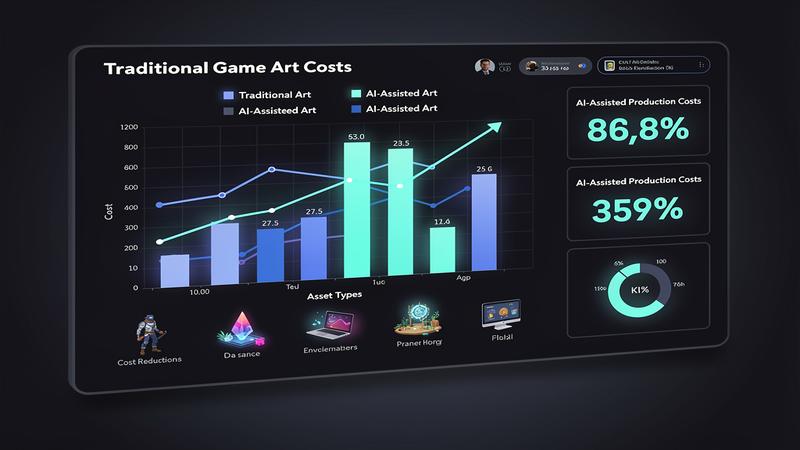
The financial case for AI art tools isn't just about direct cost reduction—it's about transforming what's possible within indie budgets. Let's examine the numbers from multiple angles.
Direct Cost Comparison: A Concrete Example
Consider a 2D RPG requiring 50 unique character sprites (heroes, NPCs, enemies), 20 environment backgrounds, and 100 UI elements.
Traditional Outsourcing:
- Character sprites: 50 × $200-500 = $10,000-25,000
- Environment backgrounds: 20 × $300-800 = $6,000-16,000
- UI elements: 100 × $20-50 = $2,000-5,000
- Total: $18,000-46,000
- Timeline: 2-4 months
AI-Assisted Production:
- Midjourney subscription (3 months): $30-360
- Stable Diffusion (local): $0 (electricity costs ~$5)
- Post-processing time (your labor at $30/hour): 40 hours × $30 = $1,200
- Total: $1,235-1,565
- Timeline: 2-3 weeks
The cost reduction ranges from 89-97%. Even accounting for the learning curve (assume 20 hours of practice before production efficiency), the savings remain dramatic.
ROI Across Project Scales
The return on investment varies dramatically based on project scope:
Game Jam / Prototype (1-2 week project):
- Traditional budget: $0 (programmer art) or $500-2,000 (asset packs)
- AI budget: $10 (one month Midjourney) or $0 (Stable Diffusion)
- Value: Transform throwaway prototype into visually compelling vertical slice
Small Indie Game (6-12 month project):
- Traditional art budget: $10,000-50,000
- AI-assisted budget: $500-2,000 (subscriptions + post-processing time)
- Value: Allocate saved budget to marketing, sound design, or additional content
When AI Art Doesn't Make Financial Sense
Despite the compelling economics, AI art isn't universally superior:
Highly Specific Art Styles: If your game requires a distinctive, unusual art style—perhaps a specific artist's hand or a unique mixed-media approach—AI may require so much custom training and post-processing that traditional commissioning becomes competitive.
Animation-Heavy Games: AI generates static images. For games requiring extensive 2D frame-by-frame animation, you'll need to generate dozens of frames per action, then manually ensure consistency—a workflow that may not exceed traditional animation's efficiency.
The financially optimal approach for most indie developers in 2026: use AI for 80% of art needs (concept art, static backgrounds, minor characters, UI elements) while selectively investing traditional resources in the 20% that define your game's visual identity (key characters, hero environments, promotional art).
Legal and Ethical Considerations
The legal landscape for AI-generated game art resembles the Wild West: principles are emerging, but definitive rules remain unsettled. Understanding the current state isn't just about avoiding lawsuits—it's about making informed business decisions in a rapidly evolving environment.
The Copyright Question: Who Owns AI Art?
The short answer: it depends on human creative input. Both US and international jurisdictions have converged on a similar standard—copyright protection requires "sufficient human authorship."
United States (Strict Interpretation): The US Copyright Office has consistently denied copyright to purely AI-generated works. In Thaler v. Perlmutter (2023), the court affirmed that non-human authorship falls outside the Copyright Act. The office's ruling on A Recent Entrance to Paradise reinforced this: pressing "generate" on an AI tool without substantial creative direction doesn't create copyrightable work.
China (Nuanced Interpretation): China's "AI Text-to-Image First Case" (2023) granted copyright to a user who demonstrated creative prompt engineering. The court found that the user's detailed prompts, multiple iteration rounds, and selection process constituted sufficient human creativity. This suggests Chinese courts may be more willing to recognize AI-assisted work as copyrightable when humans guide the process.
The Emerging Standard: Both jurisdictions suggest a spectrum:
- Purely AI-generated (simple prompts, no curation): No copyright—enters public domain
- AI-assisted with human direction (detailed prompts, iterations, curation): Potential copyright—depends on degree of human creativity
- AI as tool in human workflow (AI generates base, human significantly modifies): Copyright likely—human creative input dominates
What This Means for Your Game
Safe Approach:
- Document everything: Save all prompt iterations, record your creative decisions, maintain revision history showing your direction
- Substantially modify AI outputs: Don't use raw generations; always apply human editing, combination, and refinement
- Use AI for ideation, not final assets: Generate concepts with AI, then have humans create final versions
Platform Policies: Where Can You Ship?
Steam: Steam has rejected games with AI content due to unclear IP status. Their current requirement: you must have rights to all content, including AI training data. This creates a catch-22—most AI tools don't disclose their training data, making rights verification impossible.
Workaround: Use AI tools with clear training data provenance (Adobe Firefly trained on Adobe Stock, public domain, and licensed content) or train your own models on assets you own.
Best Practices for 2026
- Document your creative process—prompts, iterations, curatorial decisions, modifications
- Use AI as a tool, not a replacement—combine AI efficiency with human creative direction
- Choose tools with clear IP terms—Adobe Firefly, self-trained Stable Diffusion models
- Avoid style mimicry of specific living artists—both legally and ethically problematic
- Be transparent if required—platform disclosure requirements may expand
The developers succeeding with AI art treat these legal and ethical considerations not as obstacles, but as parameters within which to operate responsibly.
Real-World Success Stories
Theory and analysis only go so far. Let's examine concrete cases of indie developers who successfully integrated AI art into shipped games—what worked, what didn't, and what they'd do differently.
Case Study 1: Sister Living Story — The Solo Developer Breakthrough
Developer: Cai Nai (solo, zero programming background)
Game: Sister Living Story (妹居物语) - visual novel / life simulation
AI Tools: Midjourney for character art, Stable Diffusion for backgrounds
The Challenge: Cai Nai had a compelling game concept but no programming or art skills. Traditional development would have required either years of skill development or hiring a team—both impossible on a zero budget.
The AI Solution:
- Character portraits: Midjourney with consistent prompt templates for the game's anime aesthetic
- Environment backgrounds: Stable Diffusion with custom LoRA trained on 30 reference images
- UI elements: AI-generated, then manually adjusted for readability
Results:
- Development time: 3 months from concept to playable demo
- DAU at launch: 10,000+ across Steam and mobile within 3 days
- Community growth: 7 QQ groups (2,000-3,000 members each) filled immediately
Key Insights:
- Prompt consistency was critical: Cai Nai spent the first two weeks developing and testing prompt templates before production. This upfront investment paid dividends across the entire project.
- Post-processing was necessary: ~30% of AI outputs required manual fixes—anatomy corrections, style adjustments, removing AI artifacts
- Community embraced the approach: Players were more interested in the game's story and mechanics than the art's origin. Quality mattered more than process.
Common Success Patterns
Analyzing these cases reveals consistent patterns:
1. Upfront Investment in Learning and Tooling: All successful developers spent 2-4 weeks mastering their chosen AI tools before production. This wasn't wasted time—it prevented months of inconsistent outputs and rework.
2. Strategic Art Direction: Successful games chose art styles that matched AI strengths rather than fighting AI limitations. Realistic styles, fantasy and cyberpunk aesthetics, and painterly approaches work well.
3. Hybrid Human-AI Workflows: No successful case used AI for 100% of final assets. The pattern: AI generates 70-80%, humans refine 20-30% (focusing on key characters, hero environments, promotional art).
4. Quality Control Processes: All implemented systematic review—no raw AI outputs shipped without human eyes checking for anatomical errors, style consistency, and appropriateness.
5. Legal Proactivity: Successful developers chose tools with clear IP terms, documented their creative processes, and in one case proactively disclosed AI use to players.
Conclusion
The AI art revolution in game development isn't coming—it's here. The tools have evolved from novelties to production essentials, the economics have shifted from thousands of dollars to hundreds, and the workflows have matured from experimental to systematic. For indie developers in 2026, the question isn't whether to integrate AI art tools, but how to do so effectively, legally, and ethically.
The developers succeeding with AI art share a common mindset: they treat AI as a collaborator, not a replacement. They invest upfront time in mastering tools and developing consistent workflows. They maintain human creative direction while leveraging AI's iteration speed. They navigate the legal landscape proactively, choosing tools with clear IP terms and documenting their creative processes. And they implement rigorous quality control, recognizing that AI generates possibilities while humans provide judgment.
The financial transformation is undeniable. Cost reductions of 80-90%, timeline compressions from months to weeks, and the democratization of visual quality previously reserved for well-funded studios—these aren't marginal improvements; they're paradigm shifts. Solo developers are shipping games that would have required small teams. Small teams are producing at the scale of medium studios. The impossible triangle of cost, quality, and speed has been broken.
Looking ahead, the integration of AI art tools will deepen. Real-time AI generation during gameplay, dynamic asset creation responding to player choices, and AI-assisted animation are emerging capabilities. The developers building AI literacy today will be positioned to leverage these advances; those ignoring the shift will find themselves competitively disadvantaged.
For the indie developer reading this guide, the path forward is clear: start experimenting today. Choose a tool matching your budget and technical comfort. Invest the 25-80 hours to achieve proficiency. Develop your Art Bible and prompt templates. Build your pipeline incrementally, starting with non-critical assets. Learn from the mistakes and successes documented here.
The AI art revolution rewards preparation, creativity, and adaptability. The tools are ready. The workflows are proven. The only question remaining: what will you create?
Frequently Asked Questions
Can I legally sell games with AI-generated art on Steam?
Yes, but with caveats. Steam requires you to have rights to all content, including AI training data. Use tools with clear IP provenance (Adobe Firefly, self-trained models) or substantially modify AI outputs to strengthen your creative claim. Some games now disclose AI content; whether this becomes mandatory is unclear. Document your creative process to demonstrate human direction.
How long does it take to learn AI art tools well enough for production?
Expect 25-80 hours depending on the tool: Midjourney (5-10 hours), DALL-E 3 (2-5 hours if familiar with ChatGPT), Stable Diffusion (30-50 hours including model training). Budget an additional 10-20 hours developing your Art Bible and prompt templates. The learning curve is steep but short—most developers achieve production quality within a month of focused practice.
Will AI-generated art make my game look generic?
Only if you use default AI styles without customization. AI tools have recognizable "default aesthetics" that can make games look similar. To avoid this: train custom models on your reference art, develop distinctive prompt templates, apply substantial post-processing, and maintain consistent human creative direction. The games that stand out use AI as a tool within a strong artistic vision, not as the vision itself.
What percentage of my game's art should be AI-generated vs. human-created?
Successful indie games typically use AI for 70-80% of art assets (minor characters, background environments, UI elements) while investing human effort in the 20-30% that define visual identity (key characters, hero environments, promotional art). This hybrid approach maximizes AI's efficiency benefits while ensuring distinctive quality where it matters most.
Can I copyright AI-generated character designs?
Possibly, if you demonstrate sufficient human creative input. Courts examine whether AI functioned as a tool under your direction or as the primary creator. Document your prompt iterations, curatorial decisions, and modifications. Substantially edit AI outputs rather than shipping raw generations. The legal standard is evolving—what's uncertain today may be clarified by precedent tomorrow, so stay informed.